Song Timeline
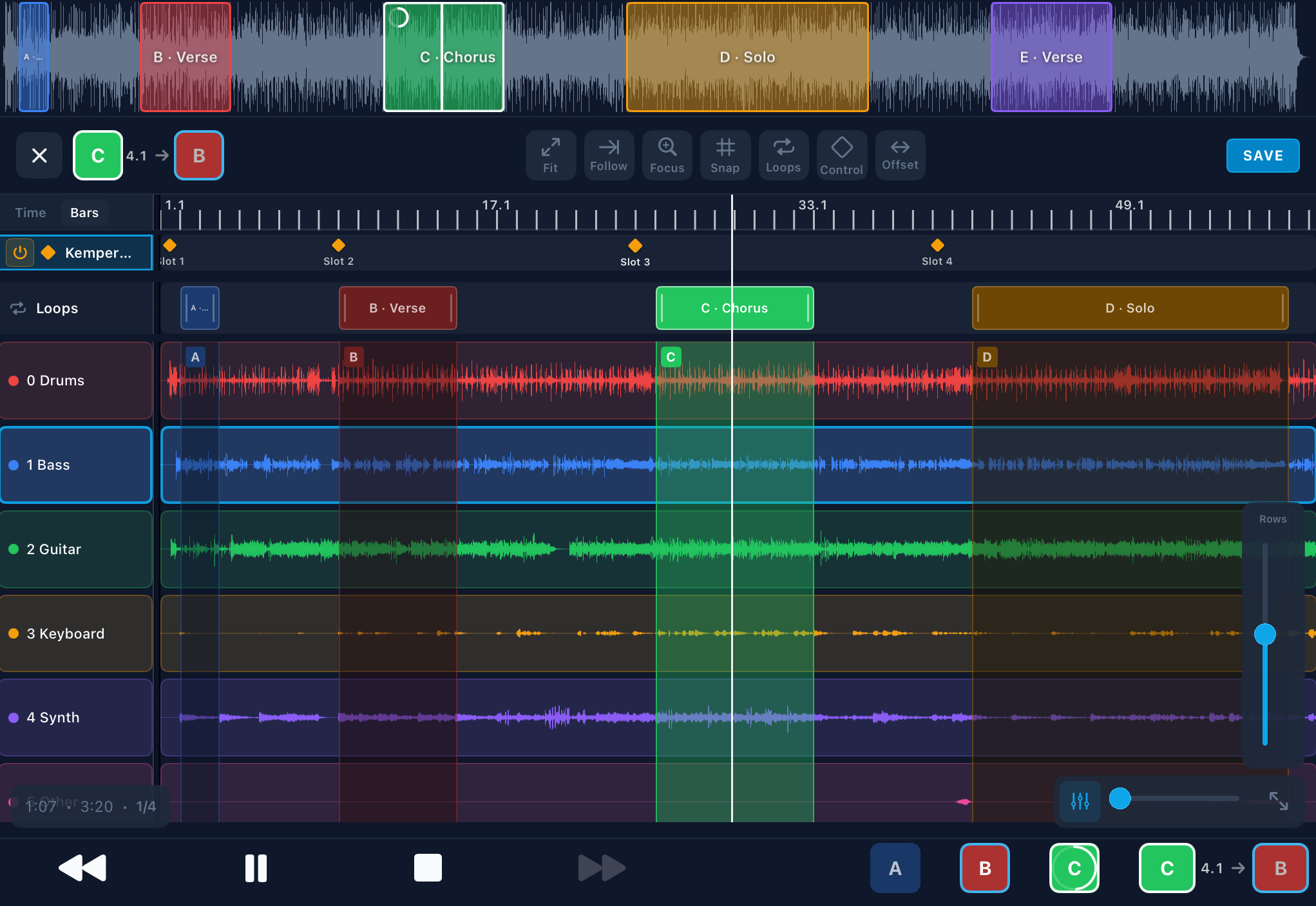
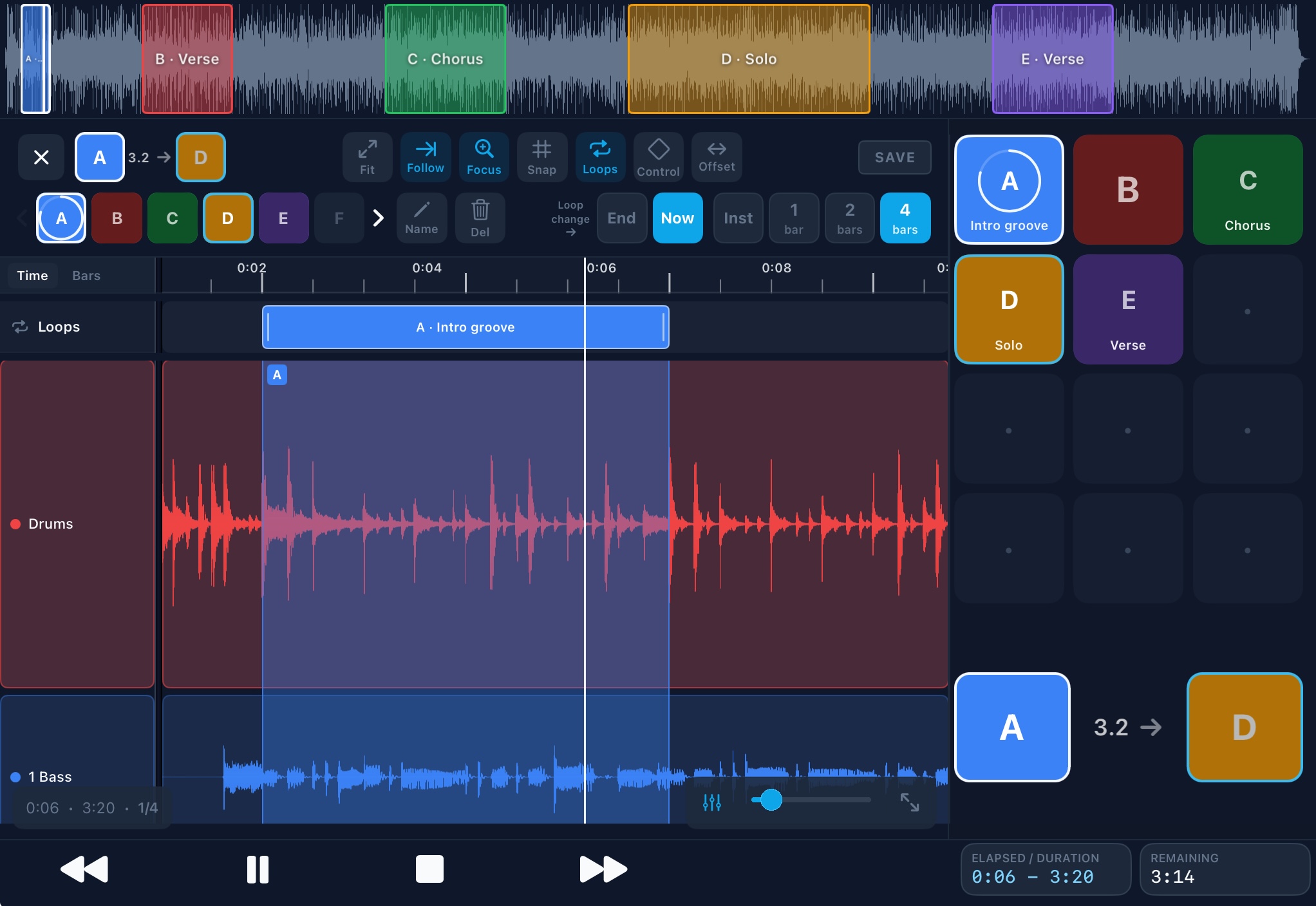
See every track as waveforms. Zoom, follow the playhead, and scrub with confidence — so you always know where you are in the arrangement.


Live performance · iPad
Multitrack live show with Timeline, cue list, Charts, mixer, Show Link, full MIDI & timecode support, and a customizable dashboard.

Features
A performance console for your backing tracks — not a studio DAW, not a simple MP3 player.
See every track as waveforms. Zoom, follow the playhead, and scrub with confidence — so you always know where you are in the arrangement.
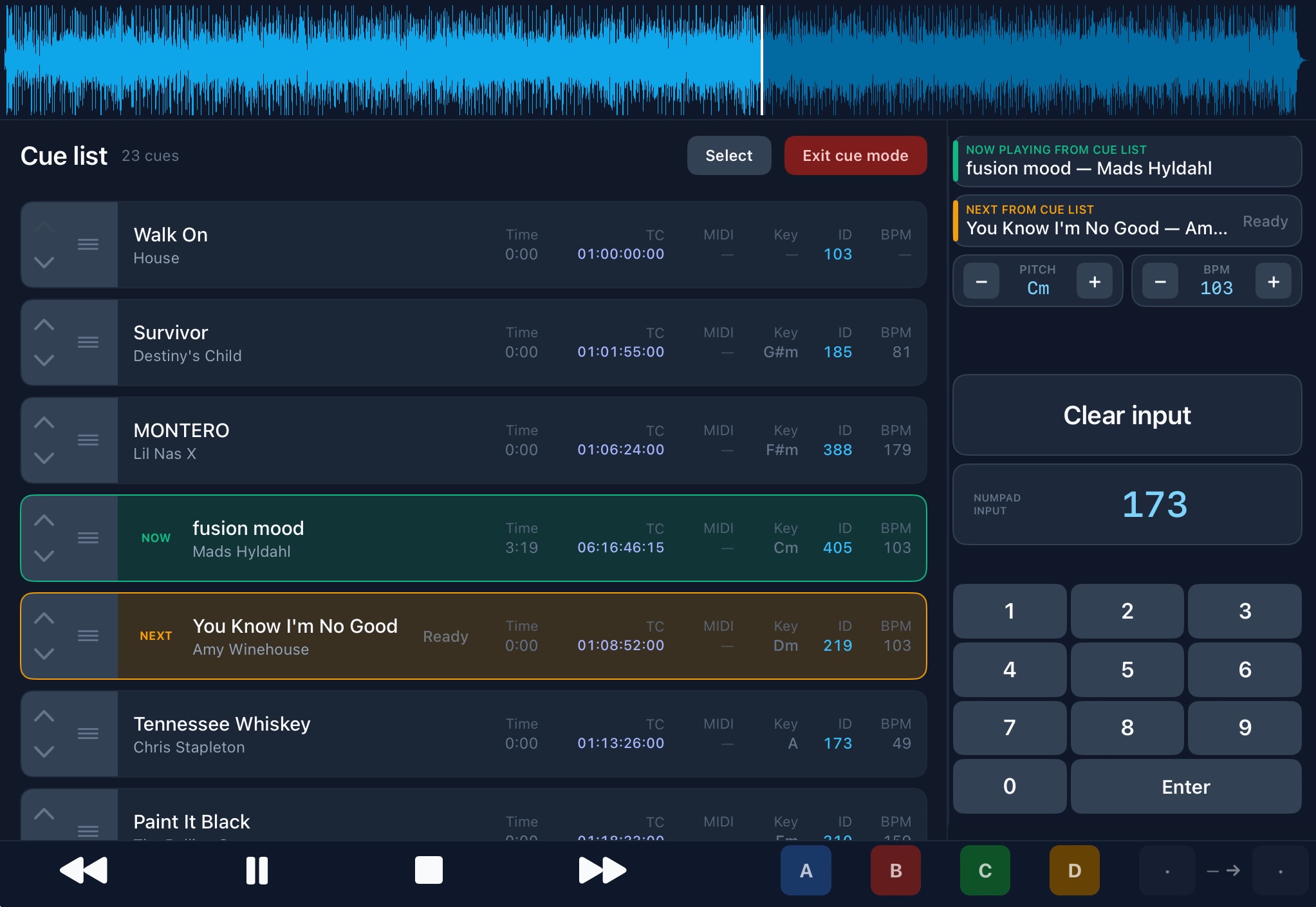
Build your running order for the gig. Clear NOW and NEXT indicators, auto-advance between songs, and a performance lock so nothing changes mid-show by accident.
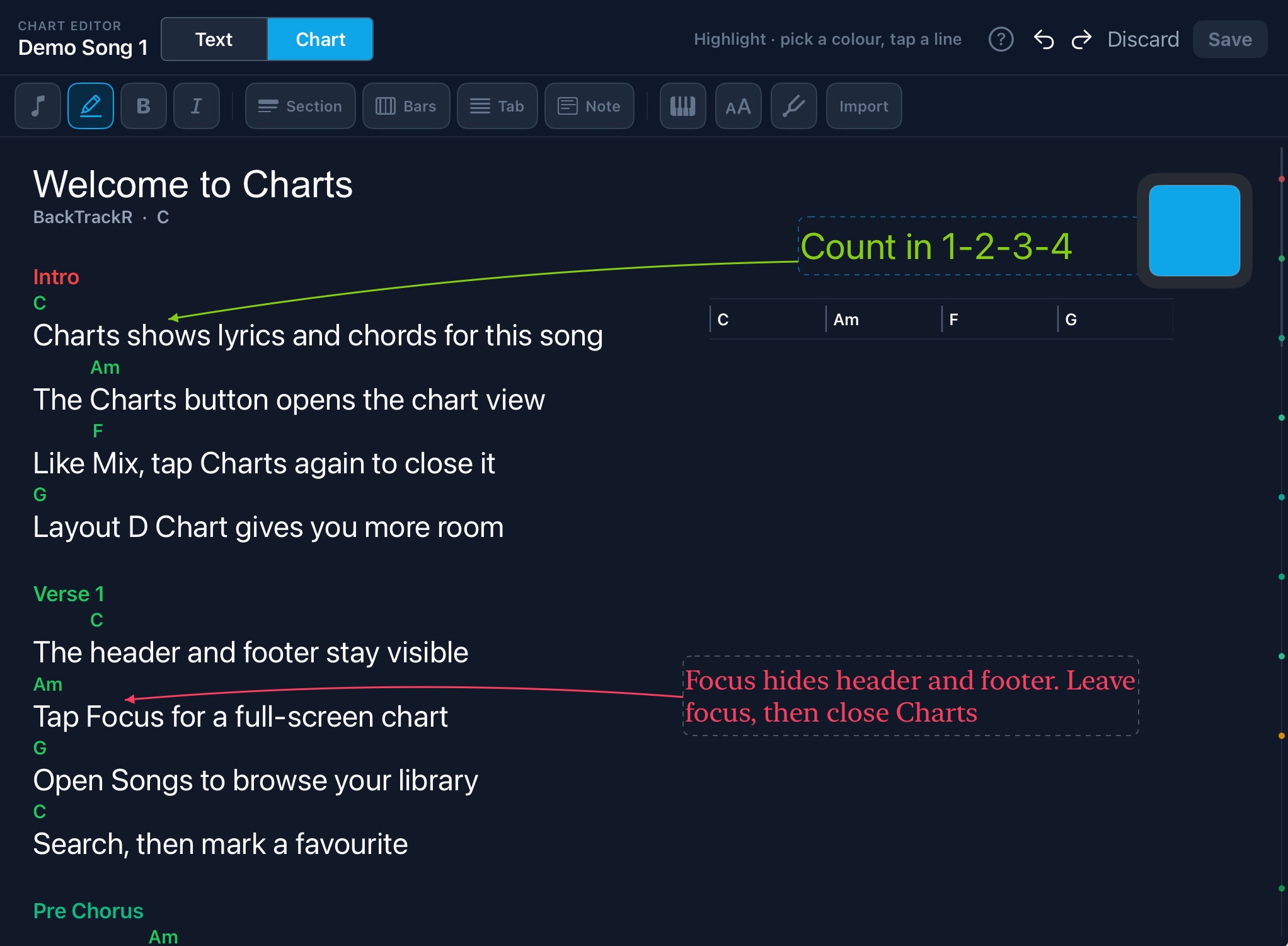
Write the words, place chords above them, mark intro, verse and chorus. Focus for a full-screen chart; Follow scrolls with the backing track as you play. Import lyrics you already have, add Bars, tab or PDF, and transpose chord names on screen.
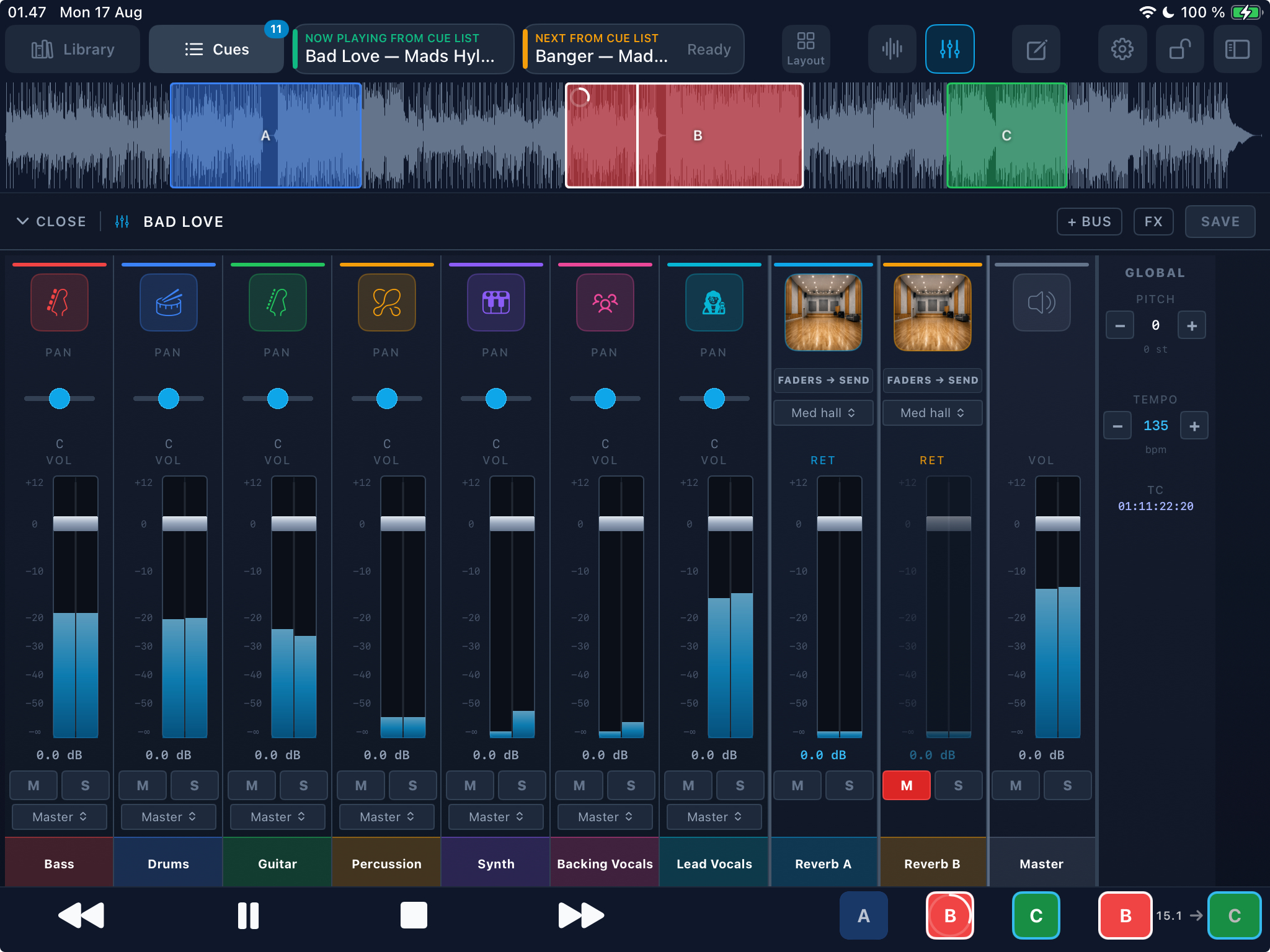
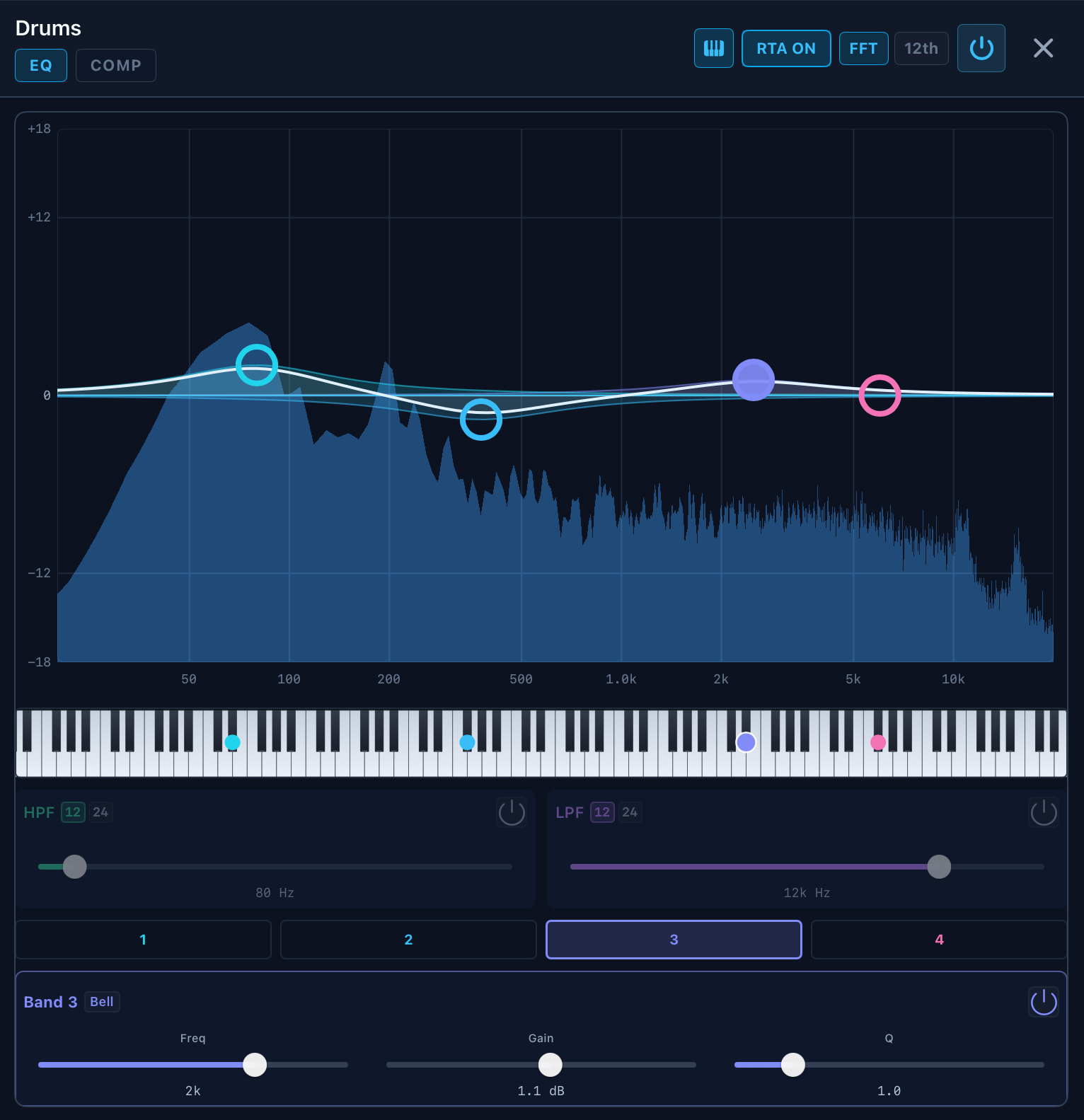
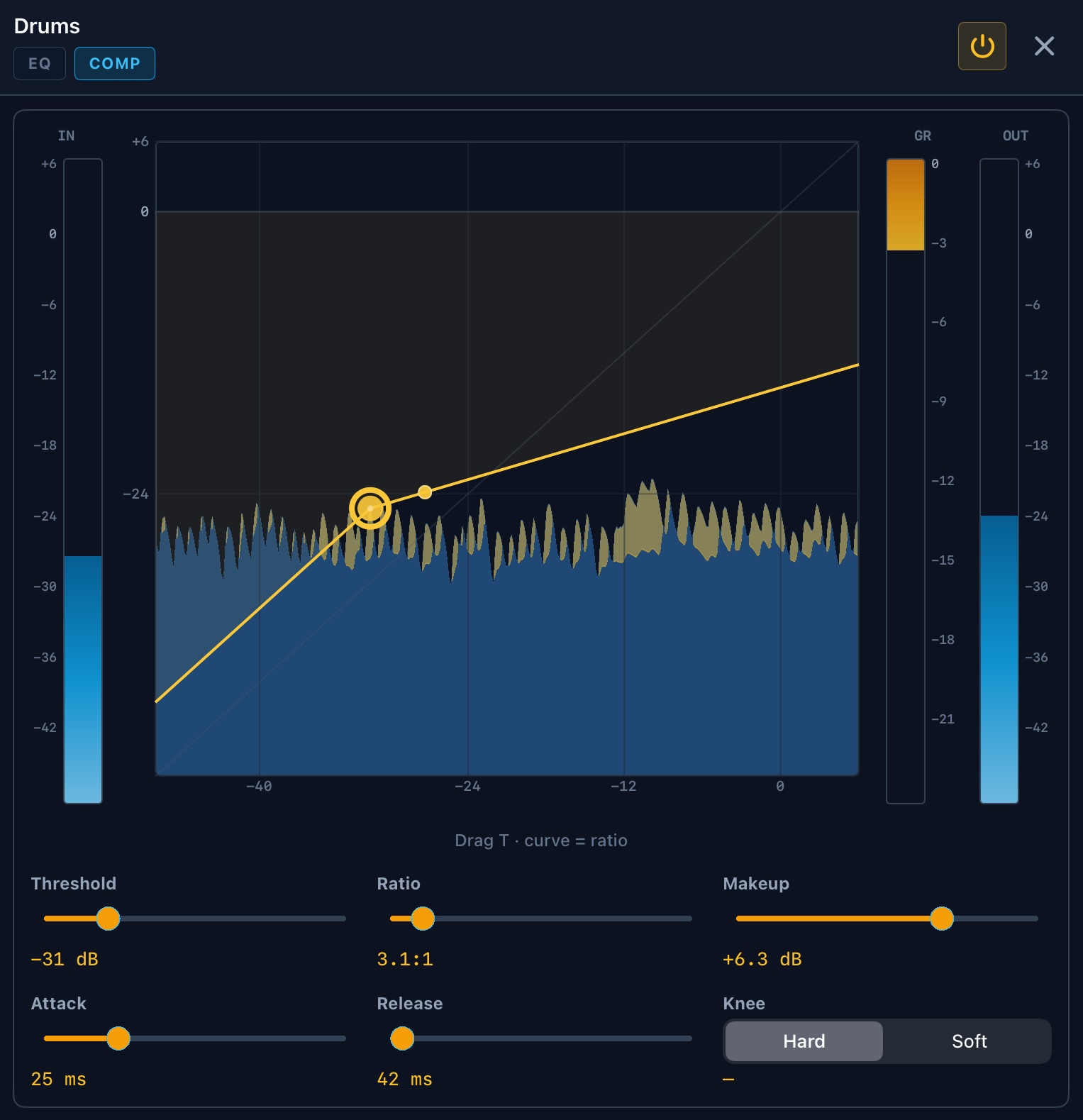
Faders, mute, solo and pan for every track — plus EQ, compression and reverb. Save mix presets per song so it sounds right every time you play it.
Mark verse, solo or outro regions and arm them from the screen, MIDI or a foot pedal. Queue the next loop at the end, or land on the downbeat with bar timing.
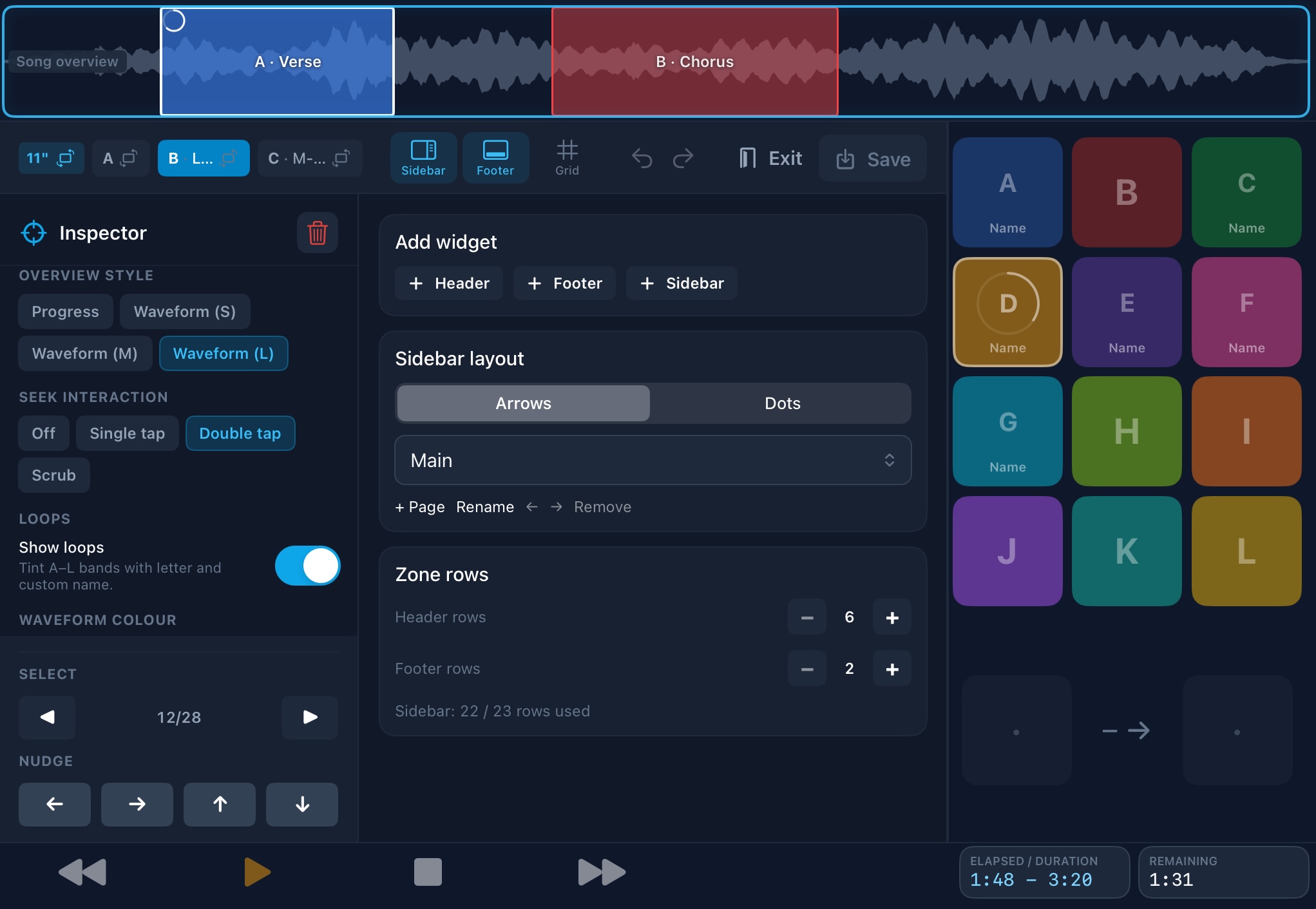
Arrange transport, cue cards, loop buttons, timers and song overview where you want them. Layout presets for all iPads.
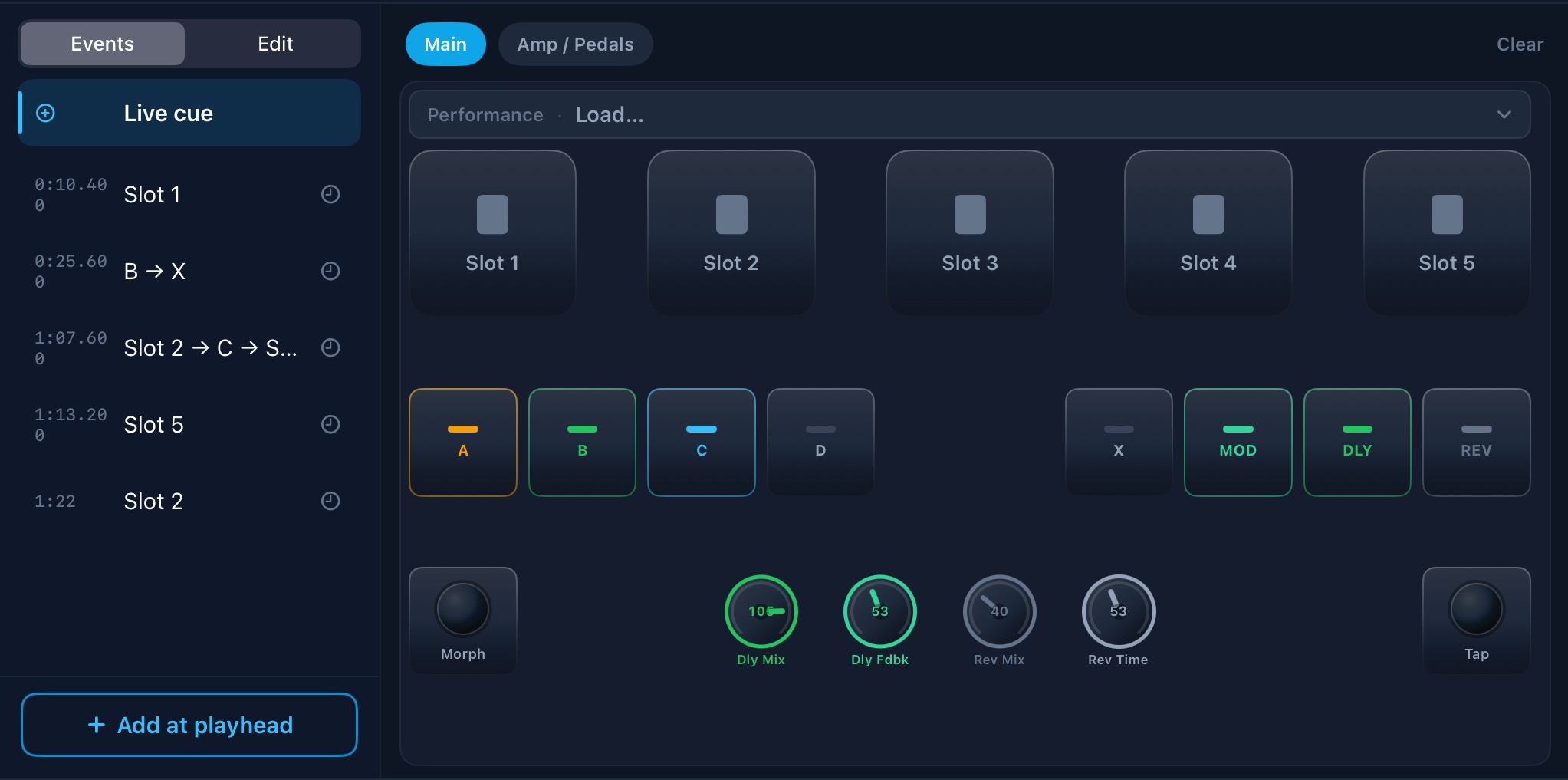
Fire timed MIDI cues from the Timeline — amp/patch changes, Live cues and Recall lists — so your gear follows the song without a separate MIDI sequencer.
Save mix presets per song so it sounds right every time you play it.
BackTrackR recognises special tracks like click, cue and timecode and can send them to separate outputs on a multichannel audio interface. Custom routing profiles mute or re-route channels library-wide — so you can go from full band to duo without remixing every song.
Send or chase SMPTE (MTC/LTC), map song triggers and transport, and talk to other apps over MIDI — including Network MIDI on the same iPad or across your rig. Lyrics and chords live in BackTrackR with Charts.
Full overview
The highlights above cover the main story. Here’s the full set — without the technical deep dive. Details live in the user manual.
FAQ
No — BackTrackR is designed for iPad only. The interface is built for live performance on a larger screen in portrait or landscape.
Songs are imported as multitrack bundles — one audio file per stem in a folder. Supported formats include WAV, AIFF, MP3, M4A, AAC, CAF, and FLAC. If you already work with multitrack backing tracks, your existing files should work.
To get the most out of BackTrackR, use a USB audio interface with an adapter so you can charge the iPad at the same time — you don’t want to run out of power mid-show. You can also run without an interface, using the iPad’s stereo out: pan click one side and tracks the other; each side will be mono.
On your iPad. Songs and settings stay on your device. Cloud sign-in is only used when you choose to import or back up with your own Dropbox, OneDrive, Google Drive or Files / iCloud location.
Each song can have up to twelve loop regions, labelled A through L. You create them on the Timeline, then arm them from the screen, a dashboard widget, MIDI or a foot pedal — useful for repeating a verse, solo or outro on stage.
Yes. You can generate LTC, send MTC, and chase incoming SMPTE so lights or video stay locked to the show. Optional MIDI Clock is separate tempo sync for other gear.
Timed MIDI cues on the Song Timeline — for example amp or patch changes, Live cues and Recall lists — so external gear follows the arrangement without a separate MIDI sequencer.
Yes. Charts lives in the song — lyrics, chords, Bars, Tab and optional PDF — with a live page that can follow playback. Details in the user manual.
Yes. Custom special-track profiles match track names across your library and mute or re-route them in one place — handy when tonight’s lineup is smaller than the full band arrangement.
BackTrackR is coming soon. This page will be updated with an App Store link as soon as it's available. Until then you can join the TestFlight beta.
Fill out the short form on the beta page. Everyone gets TestFlight access — we just ask a few questions so we know who is testing (musicians, engineers and production people have different needs). Beta testers help us find bugs and shape features before launch.
App Store — coming soon